LinkedIn newsletters deliver content via in-app, email, and push notifications to every subscriber — making them far more visible than standard feed posts. Setup requires 150+ followers and creator mode. This guide walks through a 4-step creation process, 3 B2B growth benefits, and 4 examples including a newsletter with 300K+ subscribers.
Last Refreshed: March 2026 with updated statistics and tool information.
A LinkedIn newsletter is a built-in publishing tool that lets you send recurring long-form content directly to subscribers via in-app, email, and push notifications — combining the reach of social media with the engagement depth of traditional email newsletters.
From Thomas Cornelius, Founder & CEO, graph8: “Most B2B content disappears into the feed algorithm. LinkedIn newsletters sidestep that entirely — your subscribers get notified directly via in-app, email, and push. The brands winning thought leadership in 2026 are treating every newsletter edition like a product launch, not a blog post.”
LinkedIn is the default home for B2B professional connections — and most marketers use it for posts, outreach, and prospecting. But there’s a higher-leverage channel hiding in plain sight: LinkedIn newsletters.
A newsletter on LinkedIn blends blogging, social distribution, and email delivery into one tool. Subscribers opt in, get notified on multiple channels, and engage with your content at a far higher rate than a standard post. For B2B companies, that’s a meaningful advantage.
Here’s how to set one up, grow it, and make it work for your pipeline.
What Are LinkedIn Newsletters?
A LinkedIn newsletter functions like a standard email newsletter — you publish recurring content on a defined topic, and subscribers receive a notification when each edition goes live.
The key difference: everything happens on LinkedIn’s platform, which means your content benefits from both its distribution engine and its professional context.
A LinkedIn newsletter lets you build an actively engaged audience, raise your brand awareness, and demonstrate real expertise to potential customers — without managing a separate email platform. When you publish, every subscriber gets an in-app notification, an email, and a web push alert.
Why Are LinkedIn Newsletters Important?
LinkedIn newsletters aren’t just another content channel. They offer three structural advantages that standard feed posts don’t.
1. They work on a viral principle.
LinkedIn’s algorithm rewards engagement. When subscribers react to, comment on, or share your newsletter, it surfaces to their connections — extending your reach beyond your current audience. The more engaged your subscribers, the broader your distribution, compounding with every edition.
2. They refine your audience.
Unlike a post that gets skimmed and forgotten, newsletter subscribers have explicitly opted in. They care enough to receive notifications, which means they’re more likely to read, engage, and share your content. This is a smaller audience by design — but a far more invested one.
3. They establish thought leadership.
Buying decisions in B2B depend heavily on trust, credibility, and perceived authority. Publishing consistent, high-value content that reaches a focused audience is precisely what builds that authority. A well-run newsletter signals to prospects that you’re worth listening to before they ever take a sales call — which is exactly what thought leadership is supposed to do.
Planning a LinkedIn Newsletter
If any of the benefits above match your marketing priorities, the next step is planning before you build. Ask yourself:
What are your goals?
Define what success looks like before you publish a single edition. Do you want to generate leads? Grow brand awareness? Drive demo requests? Choose one primary goal, then set the KPIs you’ll track — open rate, subscriber growth, click-throughs, or pipeline attributed.
What is the value for your audience?
Your newsletter has to earn the read. Every edition should answer: what does my audience need to know right now that only I can tell them? Subscribers who feel like they’re getting genuinely useful insight will forward and share — subscribers who feel marketed to will unsubscribe.
What topics should you cover?
Use trending industry conversations as your starting point, then narrow to two or three focused topics you can own. Publishing consistently on a narrow, opinionated point of view builds authority faster than covering everything. CIENCE works with 2,500+ B2B clients across 250+ industries — the brands that grow fastest on LinkedIn are the ones with a clear, differentiated perspective.
When your cost per lead keeps climbing but pipeline stays flat, adding another tool won’t fix it. You need a different system.
“Thanks to CIENCE, we generated 4,000+ leads in four months — creating a scalable, predictable pipeline we didn’t have before.” — August Ash
Once you’ve defined your goals and audience needs, you can build a content plan. Newsletters are also a strong vehicle for repurposing content you’ve already created — articles, reports, and interviews all translate well into newsletter format.
How to Access the LinkedIn Newsletter
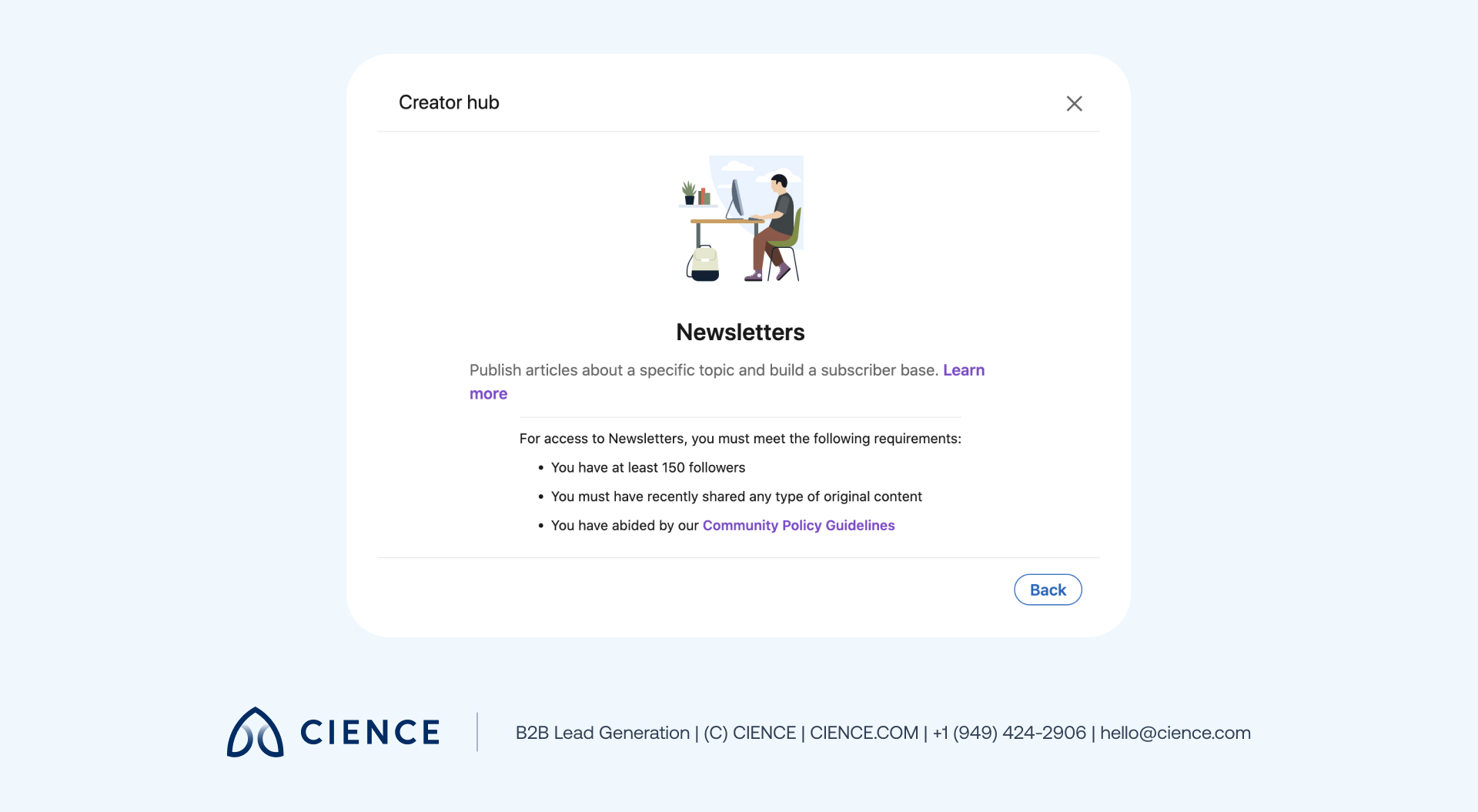
First, you’ll need to check whether you have newsletter access based on the following criteria:
- More than 150 followers and/or connections
- Recent shares of any type of original content
- A history of abiding by LinkedIn’s Professional Community Policies
To find out if you have access:
1. Go to the Creator hub to turn on creator mode:
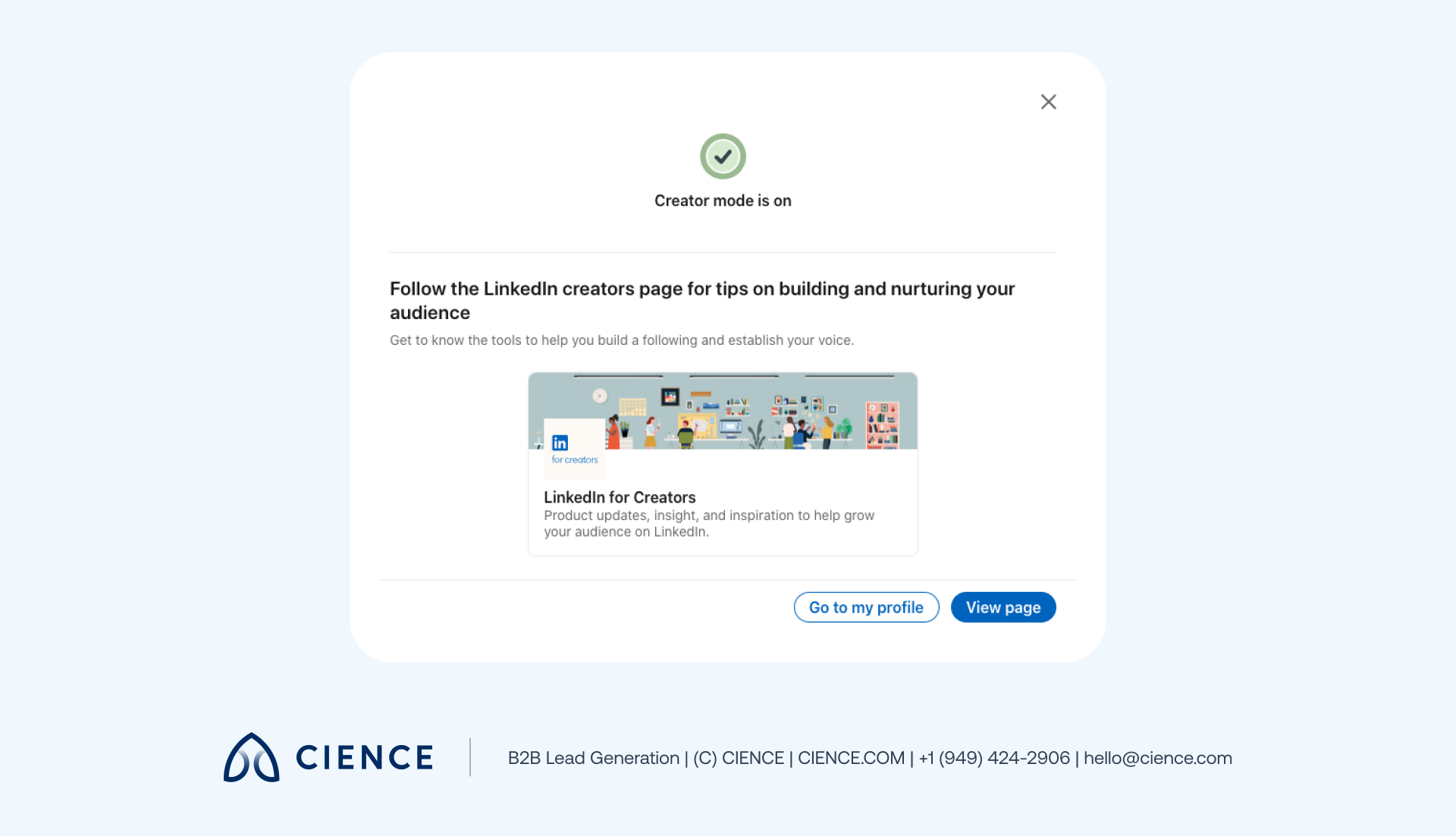
2. Click View page. If you have creator tool access, you will see the Creator tools section in the Creator hub:
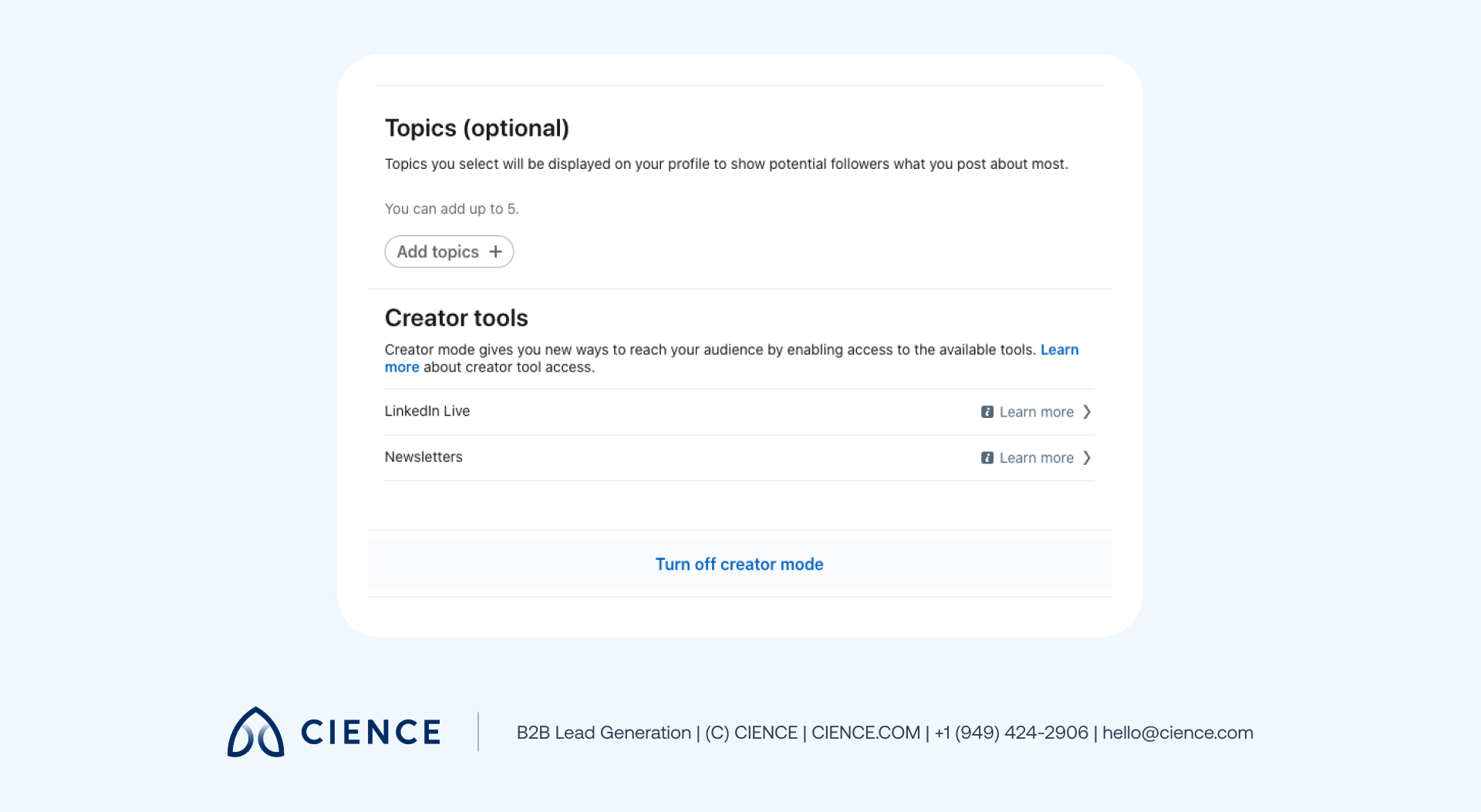
If you see the Creator tools section and you meet the newsletter access criteria, it will say Available next to Newsletters. If you don’t match the parameters yet, you’ll need to go back and fulfill the necessary requirements.
How to Create a LinkedIn Newsletter
Once creator gates are open, it only takes a few steps to publish your first edition:
-
Make sure Creator mode is on and go to the Creator hub.
-
Your newsletter title will appear in the upper-right corner of the page and be saved for future posts.
-
Write your first article. When you’re ready to publish, add a cover image and click Publish in the top right of your screen.
A window will pop up where you can add context about the article, ask questions of your readers, and add hashtags.
-
Click Post to share your newsletter in the feed.
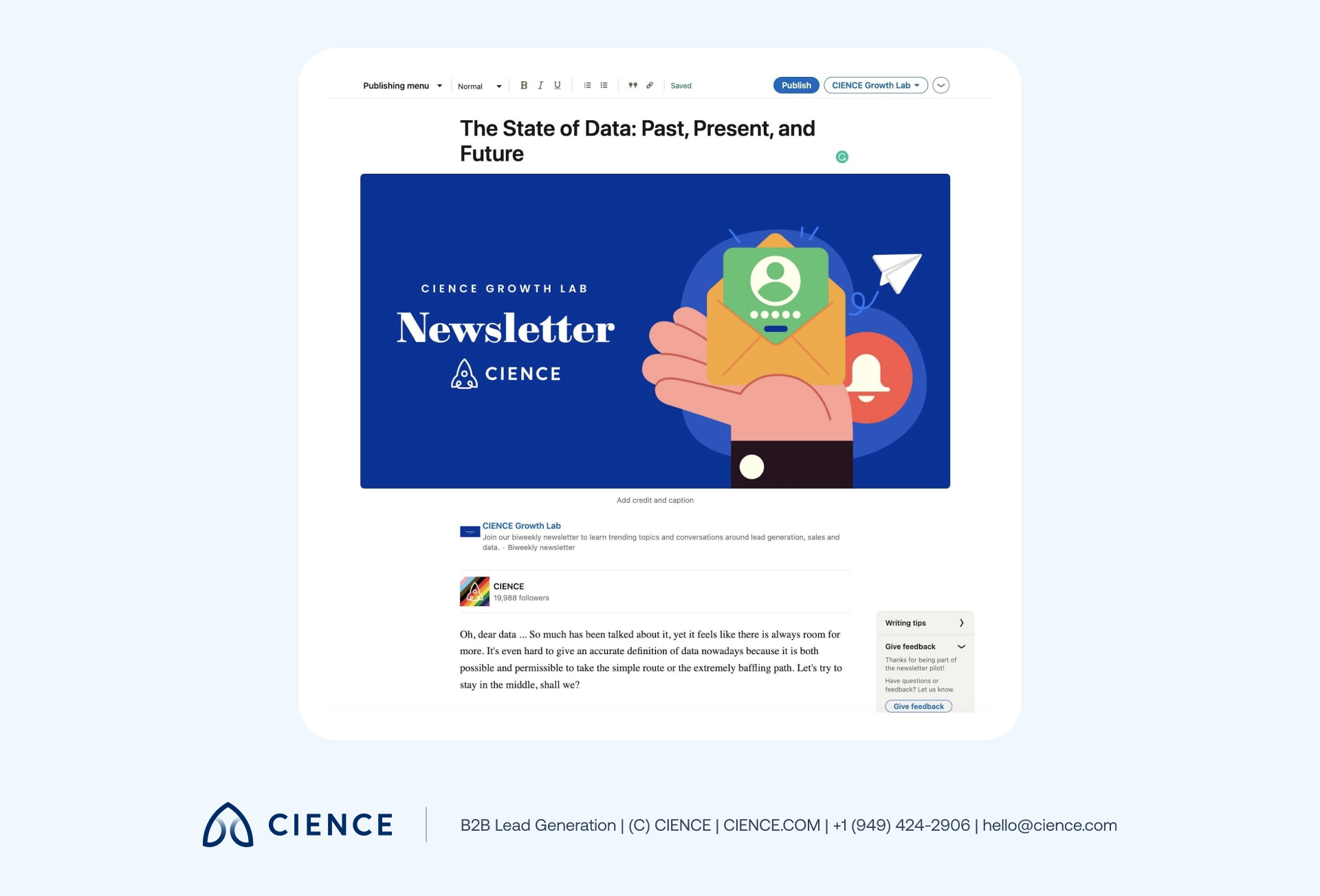
To publish a new article for your newsletter, click Write an article and repeat the steps above. You’ll now see the newsletter title next to the Publish button:
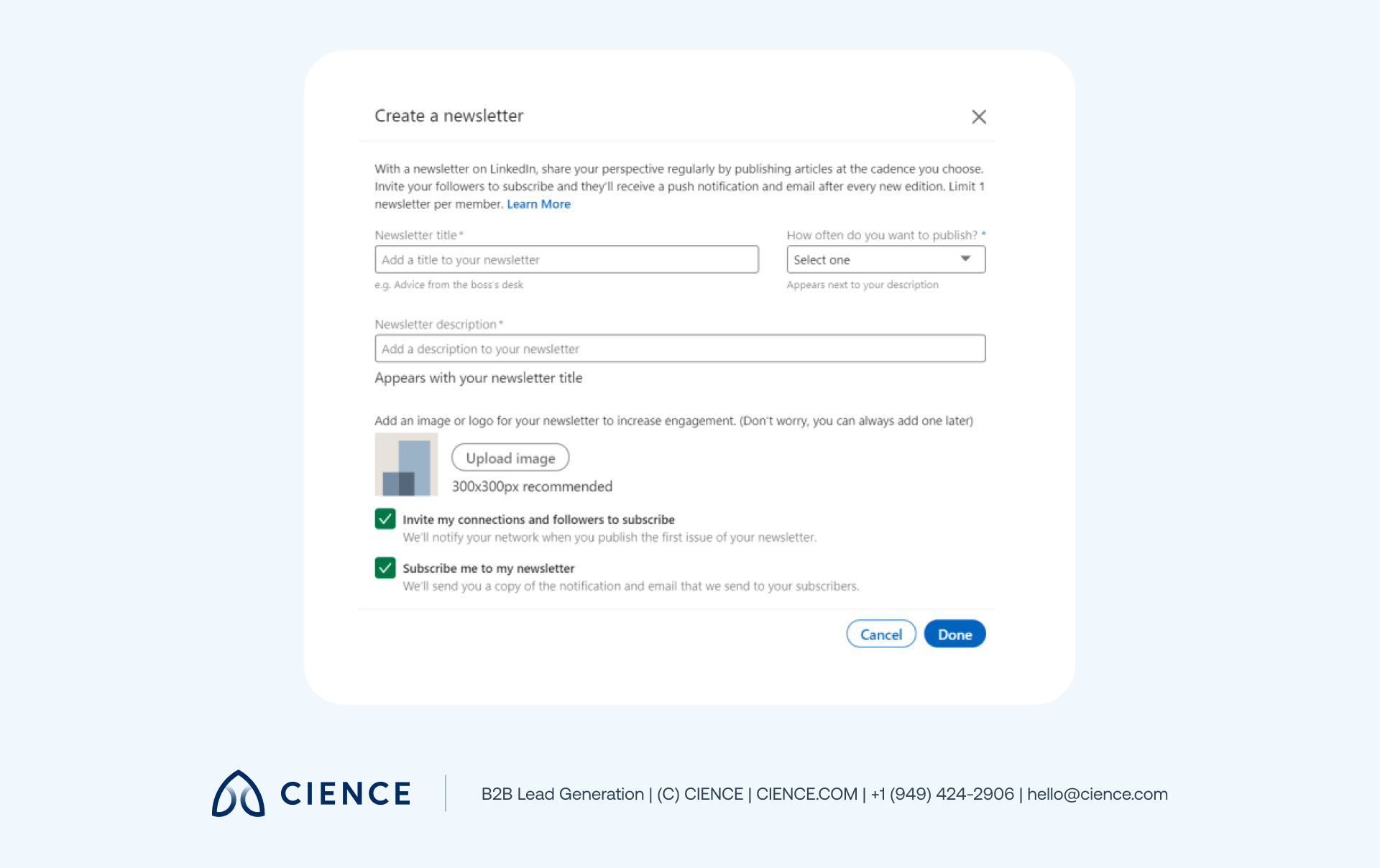
Click Create a newsletter in the toolbar. Choose a title and publishing cadence, add a description and logo, and click Done.
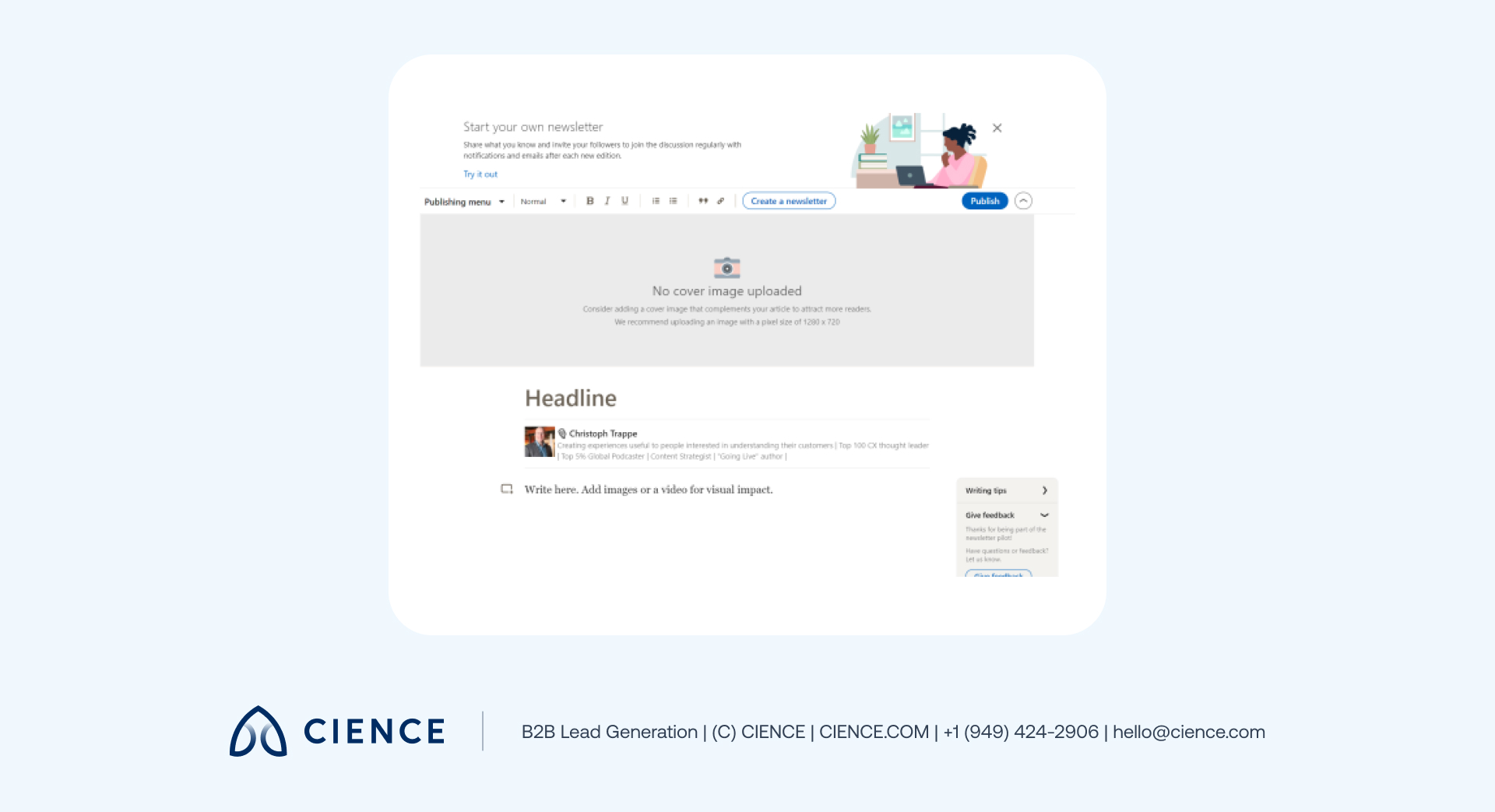
Click Write an article at the top of the home page to access the publishing tool.
You can publish a maximum of one article daily and maintain only one LinkedIn newsletter at a time. You can tag people or add hashtags. By default, your followers and connections receive an invitation to subscribe:
Note: You can create a newsletter on LinkedIn as yourself or as a company page. If you want to do it as a page, you must be a super or content admin.
LinkedIn Newsletter Tips
Technical setup is only part of the equation. Here’s how to maximize your results:
- Choose the right name. The name should signal the content your audience will get — but it can also be opinionated or intriguing enough to stand out. Names that promise a specific outcome or point of view tend to attract more initial subscribers.
- Pay attention to design. Upload a logo and use high-resolution images consistent with your brand. Visual consistency across editions builds recognition.
- Engage your audience. Tag relevant people, use hashtags, ask direct questions, and invite readers to reply in the comments. Engagement signals drive algorithmic distribution.
- Post on a consistent schedule. Pick a cadence your team can sustain — weekly or biweekly is most common among high-growth newsletters. Consistency compounds: subscribers who come to expect your newsletter are more likely to open it.
Top 4 LinkedIn Newsletter Examples
Looking for inspiration before you launch? These four LinkedIn newsletters have proven track records:
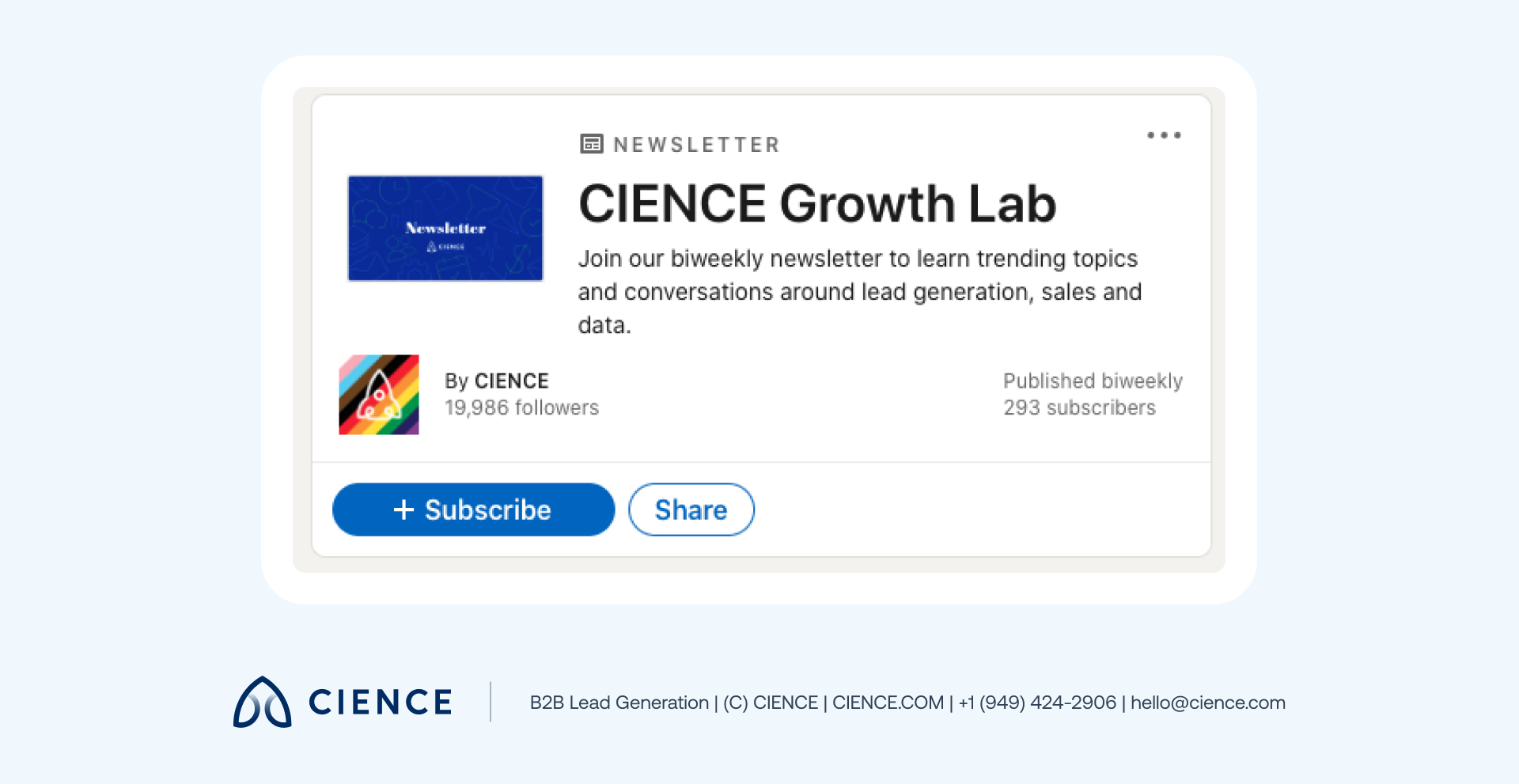
1. CIENCE Newsletter
CIENCE’s thought leadership runs through every layer of our marketing strategy — and our LinkedIn newsletter is no exception. It covers data solutions, lead generation, current marketing trends, and our expert take on what’s actually working in B2B pipeline right now.
2. Bob Glazer: Elevate
This LinkedIn newsletter with over 300K subscribers focuses on “leadership, building capacity, and reaching potential.” Every week, Bob shares insights on business, psychology, and performance — including analysis of market trends like the marketing ROI collapse that shook the industry. Consistent weekly publishing over years drove subscriber growth that no paid campaign could replicate.
3. Gary Vaynerchuk’s Blog
Gary Vaynerchuk built his newsletter on the same brand he built everywhere else: relentless ambition and contrarian takes on business trends. Over 50K subscribers follow for his perspective on where markets and culture are heading — proof that a strong point of view is its own distribution engine.
4. Joseph Milord: The Hustle
An editor at LinkedIn News, Joseph Milord takes a highly targeted approach: The Hustle is built specifically for frontline workers, covering the topics that matter most to that audience. The newsletter’s specificity — narrow topic, defined reader, consistent format — is exactly what makes it work.
“Thanks to CIENCE, we’ve seen a 500% monthly increase in new sales appointments.” — Bryce Garoutte, Sr. VP of Business Dev & Marketing, Silicon Valley Insight
CIENCE + graph8 pricing: $5,000 one-time GTM system setup, $2,499/mo strategic execution, and the graph8 platform at $499/mo. No long-term contracts. See full pricing →
Whether or not you decide to work with us, you’ll walk away with a clear picture of where your pipeline is leaking and what it would take to fix it.
Frequently Asked Questions
How do I start a LinkedIn newsletter?
Turn on creator mode in your LinkedIn Creator hub, ensure you have 150+ followers/connections and recent original content, then click “Write an article” and select “Create a newsletter.” Add a title, description, logo, and publishing cadence, then publish your first article. Subscribers are notified automatically via in-app, email, and push.
How often should I publish a LinkedIn newsletter?
Most successful LinkedIn newsletters publish weekly or biweekly. Consistency matters more than frequency — pick a cadence you can maintain and stick to it. Bob Glazer’s “Elevate” newsletter grew to 300K+ subscribers with a consistent weekly schedule, not viral posts.
Can a company page create a LinkedIn newsletter?
Yes, LinkedIn company pages can create newsletters, but the page admin must be a super admin or content admin. Company page newsletters work the same way as personal newsletters — followers receive subscription invitations and notifications when new editions are published.
Start Your LinkedIn Newsletter
LinkedIn newsletters combine blog-level depth, social distribution, and email-style direct delivery into a single channel most B2B marketers still underuse. If your current approach is relying on feed posts that disappear in hours, a newsletter gives you a subscriber base that actually gets notified.
Pick a narrow topic, define your point of view, and publish consistently. The brands that win on LinkedIn in 2026 aren’t the ones posting most often — they’re the ones building audiences that show up every time they publish. For more on building a content marketing strategy that extends beyond LinkedIn, see our full guide.

A graph8 company — AI-powered GTM execution across 250+ B2B industries.
graph8 Platform
From $499/mo
Run your own GTM campaigns with AI-powered data, sequences, and analytics.
Start Free — 2,500 Credits No credit card requiredCIENCE Managed
From $2,499/mo
Our GTM teams build and run your outbound campaigns end-to-end.
15-min call · No commitment2,500+ B2B companies served · Month-to-month contracts · See full pricing →